


 Contact Platform Support
 Help Center
Smart Phone Car Alarm Hot Sell Anti-loss Object Bluetooth Wireless Key Finder Vtag
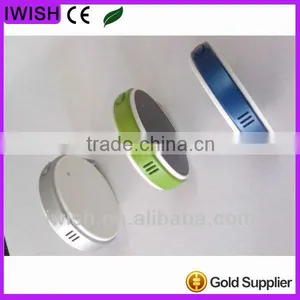
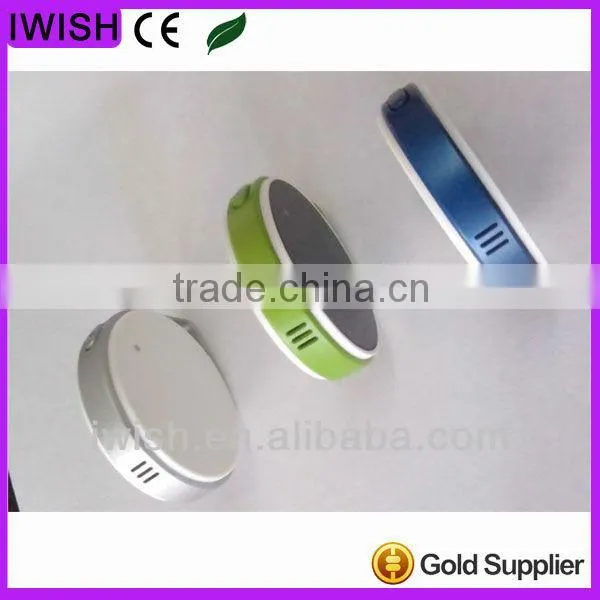




Related Products
-
 Key Finder Bluetooth Hot Sell Anti-loss Object Bluetooth Wireless Key Finder VtagNegotiableMOQ: 5 Pieces
 -
rf Keyfinder Hot Sell Anti-loss Object Bluetooth Wireless Key Finder VtagNegotiableMOQ: 5 Pieces
-
Wallet Anti-theft Alarm Hot Sell Anti-loss Object Bluetooth Wireless Key Finder VtagNegotiableMOQ: 5 Pieces
-
Mitsubishi Obd2 Scanner for Vehicle and Car With Cumulative Mileage Functions and Voice MonitorUS$ 50 - 60MOQ: 10 Units
-
Universal Obd2 Scanner for Vehicle and Car With Cumulative Mileage Functions and Voice MonitorUS$ 50 - 60MOQ: 10 Units
Specifications
1,smart phone car alarm2,Blue Smart
3,Special optimized functionality for VTag
4,rf keyfinder
5.bluetooth 4.0
smart phone car alarm brand new mobile phone bluetooth alarm button for iphone ipad ipod
compatible:
IOS:for iphone 4s 5 5c 5s ipod touch ipad 3.4 mini
android 4.3 system eg: for samsung galaxy 3.4 5,note 3 p601 huawei sony motorola nokia LG HTC and lenovo
| parameter | value |
| Communication system | Bluetooth ® Ver.4.0 |
| Transmission scheme | Spectrum frequency hopping diffusion method (FH-SS) |
| Transmit frequency range | 2.4GHz ~ 2.4835GHz |
| Communication distance | (Depending on use environment) 20m |
| Power | CR2032 battery |
| Dimension | 38.5mm*38.5*9mm |
| weight | About 12g |
| Working time | (Depending on use environment) about 0.5 year. |
<img src="/img/pb/450/590/776/776590450_409.jpg" alt="brand new bluetooth alarm button for iphone ipad ipod" ori-width="600" ori-height="600"><img src="/img/pb/455/590/776/776590455_426.jpg" alt="brand new bluetooth alarm button for iphone ipad ipod" ori-width="600" ori-height="600"><img src="/img/pb/457/590/776/776590457_419.jpg" alt="brand new bluetooth alarm button for iphone ipad ipod" ori-width="600" ori-height="600"><img src="/img/pb/471/590/776/776590471_360.jpg" alt="brand new bluetooth alarm button for iphone ipad ipod" ori-width="600" ori-height="600"> <img src="/img/pb/466/590/776/776590466_900.jpg" alt="brand new bluetooth alarm button for iphone ipad ipod" style="font-family: 'comic sans ms', sans-serif; font-size: 16px;" ori-width="600" ori-height="600">
<img src="/img/pb/723/595/776/776595723_149.jpg" alt="brand new bluetooth alarm button for iphone ipad ipod" ori-width="600" ori-height="600"><img src="/img/pb/727/595/776/776595727_876.jpg" alt="brand new bluetooth alarm button for iphone ipad ipod" ori-width="600" ori-height="600"><img src="/img/pb/735/595/776/776595735_166.jpg" alt="brand new bluetooth alarm button for iphone ipad ipod" ori-width="600" ori-height="600"><img src="/img/pb/743/595/776/776595743_149.jpg" alt="brand new bluetooth alarm button for iphone ipad ipod" ori-width="600" ori-height="600">
Instruction manual:
SETUP:
Sep1
Please search and down load Blue Smart at iTunes App Store .
Step2
Touch "Settings" them "General" on your iPhone's screen. Touch "Bluetooth" then touch "Turn Bluetooth on", and open Blue Smart app in iPhone 4S/5 or new iPad.
Step3
Press Connect Button 3 seconds to pair the VTag device with iPhone or iPad. The Blue Smart app will discover VTag. please tap "Pair" to permit the VTag connection.
STATUS
Paring
1. Long press Connect button in disconnected or closed status.
2. 2 beeps to entering pairing and fast green light flashing with 0.5s interval, and last 6os.
Disconnected
1. Out of range or control in Blue Smart APP to Disconnect.
2. Beeps for 5s and slow continuous green-light flashing with 5s interval.
Paired
1. Connected and Paired.
2. A fast green flashing for 2s to enter connected status, then no light.
Closed
1. "Close VTag" from control bar in Blue Smart App in paired status.
Alert:
In/Out of Range Alert
1. If the distance of the Paired VTag and iPhone/iPad is out of range, both VTag and iPhone/iPad will trigger alert. "Setting mode" in Blue Smart APP will define the type of alert.
2. Pre-paired VTag and iPhone/iPad will trigger alert if re-connected.
Trigger Find my VTag Alert
1. Tap "find me" in blue Smart APP in paired status.
2. Immediate alert VTag with predefined beep or Red LED light.
3. Tap "Mute" in Blue Smart APP in paired Status, it will Mute VTag Alert.
4. Tag Connect button can also mute the alert in VTag.
Trigger Find my iPhone/iPad alert
1.Mild Alert: Short Push Connect and Function button together in paired status. It will trigger mild Alert in iPhone/iPad
2. High Alert: Long push(3s) Connect and functionbuttontogether in paired status, it will trigger high alert in iPhone/iPad.

Send Inquiry to This Supplier

You May Also Like
-
Electronic Horn/buzzing Sound(Wechat:13510231336)NegotiableMOQ: 500 Cartons
-
Fragile StickerUS$ 10 - 100MOQ: 2000 Sheets
-
Security AlarmNegotiableMOQ: 2500 Combos
-
Safety With AlarmUS$ 0.65 - 4.5MOQ: 1000 Pieces
-
Anti-theft Alarm Device for Mobile Phone/computer/laptop Display Supplier's ChoiceUS$ 0.1 - 2MOQ: 5 Pieces
-
Wireless Magnetic Door Sensor Contact SDM-100 Wireless Mental Rolling Door Magnetic Contact Wireless Rolling Door SensorUS$ 2 - 3MOQ: 1 Piece
-
Gsm Gprs Rtu 4~20 mA / 0~5 V Gsm Sms Temperature Control AlarmUS$ 60 - 90MOQ: 5 Pieces
-
Metal Type Magnetic Proximity Switch SensorUS$ 4 - 8.1MOQ: 20 Sets
-
Hand Emergency Signalling Apparatus,power Tools,handware Tools,ISO9001,UKASUS$ 239.5 - 254.6MOQ: 1 Piece
-
H0292 LED Key Finder Wireless Key RF Item Locator Remote Control Pet CellUS$ 0.28 - 0.42MOQ: 10000 Pieces


